Law Firm & Legal IT Support Adelaide
Your firm's reputation is built on confidentiality. We help you keep it.
You didn't get into law to manage servers, chase software updates, or lie awake wondering whether your client files are safe. Otaris takes IT and cybersecurity completely off your plate — so you can get back to practising law.
In short
What does IT support for law firms in Adelaide include?
Otaris provides managed IT support and cyber security for law firms and legal practices in Adelaide. We support practice management software including Smokeball, LEAP and Actionstep, protect client confidentiality and trust-accounting records, and align firm IT with the Essential Eight. Plans start at $139 per user per month. Adelaide-based since 2006.
Trust accounts · privilege · Privacy Act
Eight questions to ask the IT provider you already have
A law firm is the one business where a security failure and a professional conduct failure are the same event. An intercepted settlement email moves money that was never yours. A breached matter file is a privilege problem before it is an IT problem — and the Law Society, your client and the OAIC all get a say in what happens next.
So don't take our word for anything. These eight questions come straight from the Essential Eight — the standard published by the Australian Signals Directorate, which we didn't write and don't own. Each one can only be answered with a document. Ask them, and notice which answers arrive as a report and which arrive as a reassurance.
- 01
Patch applications
Which version of LEAP, Actionstep or Smokeball are we on, and what was patched in it last month?
A real answer looks like: A dated patch report per application, with any exception named and a reason beside it.
- 02
Patch operating systems
The machine the trust account is reconciled on — what version of Windows is it running, and when does support for it end?
A real answer looks like: A device list with OS build numbers and end-of-support dates, and dates against the ones that are behind.
- 03
Multi-factor authentication
If a partner's mailbox is taken over at 4pm on a Friday before settlement, what actually stops the transfer?
A real answer looks like: A conditional access report showing every account, the factor it uses, and every exclusion listed by name.
- 04
Restrict admin privileges
Who in this firm can change a bank account in the practice management system, and who approved that list?
A real answer looks like: A named list of who holds that permission, and the date it was last reviewed.
- 05
Application control
A paralegal downloads a free PDF merger at 9pm to get a bundle out. Does it run?
A real answer looks like: The application control policy, its enforcement mode, and last month's blocked-execution log.
- 06
Restrict Office macros
A costs schedule arrives from the other side as a macro-enabled workbook. Can that macro execute on our network?
A real answer looks like: The macro policy showing macros blocked by default, with trusted locations and signed exceptions listed.
- 07
User application hardening
Our browsers sit in client portals and court e-filing all day. Which hardening controls are applied to them?
A real answer looks like: The hardening baseline applied, which controls are on, and the date of the last configuration drift check.
- 08
Regular backups
If ransomware took the document management system tonight, when did you last prove — with a test — that you could bring a matter file back?
A real answer looks like: A restore test report with a date, what was restored, how long it took, and who signed it off.
And one more, just for your industry
If a client asks us in writing whether their matter data has ever been accessed without authorisation, can you produce the log that answers it?
A real answer looks like: An audit log covering at least the last twelve months, and a worked example of the report you would produce.
Asked them? Here's what to do with the answers.
A provider doing the work sends a report. One who isn't sends a sentence. If the answers came back vague, that is itself an answer — and you now know which questions to ask again in writing.
To check the same ground against the government standard yourself, the scorecard further down this page takes about two minutes. You keep the result, and there is no form to fill in.
Or ask us — we do this every week.
We know what's really at stake for a law firm
Your practice runs on trust. Clients hand you their most sensitive information — identity documents, financial records, litigation strategy, contracts — and they trust you to keep it safe. So do the courts. So does your professional duty.
That's exactly why law firms have become one of the most targeted industries in Australia. The Australian Signals Directorate lists professional services among the most frequent targets for ransomware, phishing and data theft. And the consequences aren't only technical — a breach can mean a breach of your duty of confidentiality, a notifiable incident under the Privacy Act, lost billable hours while systems are down, and clients walking out the door. Recent industry research found 40% of clients would consider leaving a firm after a data breach.
You shouldn't have to be your own IT department to carry that weight. That's where we come in.
“We take IT completely off your plate — so you can focus on your clients, not your network.”
The IT challenges we solve for legal practices
Trust-account & payment fraud
Business email compromise — a fake invoice or “changed” bank details at settlement — costs Australian firms millions every year. We lock down your email, verify the people inside your systems, and put controls around the way your firm moves client money.
Client confidentiality, end to end
A breach isn't just downtime — it can be a breach of your professional duty. We secure how files move between your firm, your clients and the courts, so confidential matters stay confidential.
Privacy Act compliance
Reform is removing the small-business exemption, and serious breaches now carry penalties of up to $50 million. We help align your systems with your obligations and prepare you to respond fast if a notifiable breach ever occurs.
The Essential Eight baseline
State law societies now publish minimum cybersecurity expectations, and the ACSC Essential Eight has become the standard. We implement the controls that matter — multi-factor sign-in, patching, restricted admin access and daily backups — and show you where you stand.
Downtime that costs billable hours
When your systems are down, your fee earners stop earning. Our 24/7 monitoring catches problems before they reach your desk, and our local team responds fast when you need a real person.
Software that fits how firms work
Your practice management, document management and email all need to work together and stay secure. We support the legal tools your team already relies on — including Smokeball.
Getting your firm sorted is simple
Schedule a call
Talk to a real person who understands law firms. No sales pitch — just a conversation about what's working and what's keeping you up at night.
We assess your IT and build a roadmap
We audit your systems, check them against the Essential Eight and your Privacy Act obligations, identify the gaps, and give you a clear plan. No jargon, no hidden costs.
We manage everything, so you can practise law
From 24/7 monitoring and cybersecurity to everyday support, we become the IT team your firm has always needed.
Everything your firm needs, under one trusted partner
Cybersecurity & Essential Eight alignment
MFA, patching, admin controls and threat monitoring — the controls state law societies now expect.
Managed detection & response
24/7 monitoring that catches threats before they cause damage.
Secure Microsoft 365 & email
Locked-down email — the single biggest fraud risk for firms.
Backup & business continuity
Daily backups and a tested plan to get you running fast after any incident.
Privacy Act & breach-response readiness
Controls and a documented plan so you're never scrambling.
Practice software support
We support the legal platforms your team relies on, including Smokeball — keeping them secure, updated and integrated with the rest of your systems.
Legal software & systems we support
Otaris supports the software Adelaide law firms and legal practices run every day — practice management, document management, trust accounting and the security obligations that sit around them.
- Smokeball
- LEAP
- Actionstep
- Trust accounting compliance
- Court & e-lodgement portals
- Microsoft 365 & SharePoint document management
A local team law firms trust
Otaris has been looking after Australian businesses since 2006 — that's 20+ years in IT. We're Adelaide-based with Australia-wide coverage, and we explain everything in plain language. You'll never be handed off to an overseas call centre.
Client story — MKF Lawyers, Adelaide
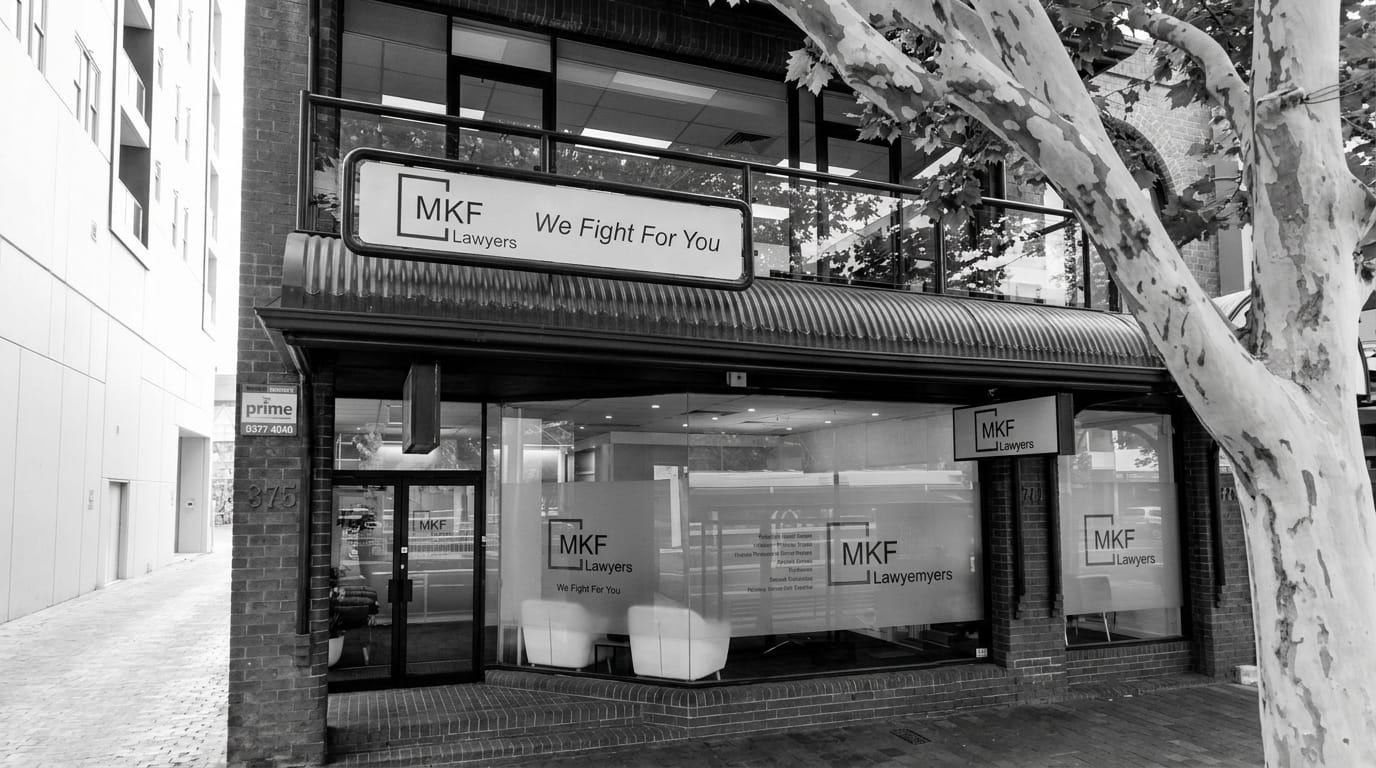
MKF Lawyers is a growing Adelaide personal injury and compensation firm whose IT could no longer keep pace with the practice. Otaris replaced ageing network gear with an enterprise Fortinet and HPE Aruba network, lifted them from basic antivirus to Essential Eight Maturity Level 1, added off-site Microsoft 365 backup and 4G failover, and put in place legal-practice-aware support that triages incidents against court deadlines.
Today their team works on a secure, reliable network, a new starter is handed a fully configured device within 24 hours, and IT is the foundation under their growth rather than the thing slowing it down.
Read the MKF Lawyers case study- 20+ years in IT
- Adelaide-based
- Microsoft partner
- Essential Eight aligned
- Hundreds of Australian businesses supported
Imagine running your firm without thinking about IT
Picture a Monday where the technology just works. Your team logs in from the office, court or home — securely. Client files are protected, backed up and exactly where they should be. You're confident you'd meet your Privacy Act obligations if anyone ever asked. And when a question comes up, a local person who knows your firm picks up the phone.
That's the difference between worrying about IT and having a partner who's already handled it.
“Strengthening your digital confidence.”
Insights for law firms
What we get asked most often by law firms businesses, answered plainly.
- 2 min
What should a law firm ask before choosing an IT provider?
Whether they have supported firms before, how they handle a deadline, and what happens at two in the morning before a filing.
Read the article - 2 min
How should a law firm share documents with clients?
Named links with expiry, not attachments. A link can be revoked when it goes to the wrong address; an email cannot.
Read the article - 5 min
What happens if a firm cannot reach its files before a deadline?
The deadline does not move. Which is why a legal practice needs a continuity plan built around court dates rather than around convenience.
Read the article - 2 min
Does a small law firm need the Essential Eight?
Not by law, and increasingly by expectation. Insurers, corporate clients and government panels ask, and the controls fit legal risk well.
Read the article - 5 min
Trust accounting and IT: what should a firm have in place?
Payment verification, restricted access, tested backups and an audit trail. The IT controls that sit underneath the regulatory ones.
Read the article - 5 min
LEAP, Actionstep or Smokeball: what matters from an IT point of view?
Choose on how your firm works, then make sure it integrates with email and documents. Integration is where firms lose the value they paid for.
Read the article
Solutions for your industry
The services we most often deploy for law firms.
- Cyber
Cybersecurity
Essential Eight and ISO/IEC 27001 aligned protection across every system we deliver.
Learn more - Cyber
Essential Eight Cyber Security Scorecard
The Essential Eight Cyber Security Scorecard — a plain-English measure of how your business stacks up against the Australian Government's Essential Eight, and your maturity level (M1–M3).
Learn more - Managed
Microsoft 365
Productivity, collaboration and security in one all-in-one Microsoft 365 Business Premium solution.
Learn more
Frequently asked questions
No name · No email · No follow-up
Check your Essential Eight score
Eight questions, about two minutes. You’ll come out with a plain list of what’s holding up, what isn’t, and what it takes to fix each gap. Some of it you’ll be able to do yourself. Some of it honestly needs a hand — and if you’d rather not deal with any of it, it’s all covered in our support plans.
The list at the end is yours to keep and act on — that part is free, and there is nothing to sign for it. If you would rather we took some or all of it on, ask on chat and we will tell you what is involved.
The Essential Eight is an Australian Government standard, and every small business should be able to measure itself against it without paying for the privilege or handing over their details. There’s no form here, so whether we ever speak is your call.
One question for each of the Essential Eight, all at Maturity Level 1 — the baseline ASD says every small business should meet. About two minutes.
answered you are here still to answer· eight groups, one per Essential Eight strategy · click any square to jump to it
Does anyone send you a patch report each month or on request, showing what got updated and what didn't?
Choose one of these four answersor press 1 – 2 – 3 – 4 to answer
Not sure what this question is asking? Ask on chat and we’ll explain what the standard means.
The two questions everybody asks last
What does it cost — and what happens to our week if we switch?
Fair questions, so here are both answers on one page. Our plans are the same three Essential Eight maturity levels you just read about — you aren't choosing between vague bundles, you're choosing how far up the Government's own standard you want to be.
- Most popular
Fortress
$139/user/month
Essential Eight · Maturity Level 1
✓ Compliant · all 8 of 8 controls at ML1
Full compliance with the Australian Government's Essential Eight baseline — all eight strategies, implemented, managed and documented so you can prove it.
Where most businesses land: unlimited support for everything, full Essential Eight compliance, and human threat hunters watching around the clock.
Support, unlimited
Security, complete
Knox
$179/user/month
Essential Eight · Maturity Level 2
✓ Compliant · all 8 of 8 controls at ML2
Maturity Level 2 — stronger protection for businesses adversaries deliberately target, and the level expected for government and defence work.
Businesses handling sensitive data or working with government, defence and regulated industries — where compliance isn't optional.
Everything in Fortress, plus
Compliance & data
Advanced threat defence
Titan
$219/user/month
Essential Eight · Maturity Level 3
✓ Compliant · all 8 of 8 controls at ML3
Maturity Level 3 — the highest level, built to withstand determined, well-resourced, targeted attackers. For those who can't afford "almost."
Chosen by organisations where a breach would be catastrophic — defence primes, health, finance and legal. The standard for those who can't afford "almost."
Everything in Knox, plus
Maximum protection · Maturity Level 3
Minimum 5 users on all plans.Add-ons available on every plan: Microsoft Copilot AI · Azure & AWS virtual servers.
And the part you're actually worried about
Nearly every law firm we speak to raises the same real objection, and it isn't price — it's the fortnight of chaos they assume comes with changing providers. There isn't one. The work happens before anything changes, and changing providers is our problem to manage, not yours to survive.
- 04
Behind-the-Scenes Setup
We build your new environment alongside the old one — practice management access, matter files, trust-account permissions and mailbox security all staged and tested before a single fee earner is asked to do anything differently.
Not one court deadline goes near the switch.
- 05
The Seamless Switchover
We cut over out of hours, usually across a weekend, with matter files, email history and practice management moving together. Monday morning your team opens the same matters in the same places.
No lost billable hours, no interrupted settlement.
- 06
Your Team Gets Comfortable
We sit with your fee earners and your practice manager separately, because they need different things from IT. One page each, no jargon.
Everyone knows who to ring, including after hours.
Protect your firm and your clients' trust.
Book your free Essential Eight Cyber Security Scorecard and we'll show you exactly where your firm stands — and what to fix first. No jargon, no obligation.
- A plain-English Essential Eight Cyber Security Scorecard for your firm
- Where you stand against the Essential Eight and Privacy Act
- A clear plan tailored to how your practice works